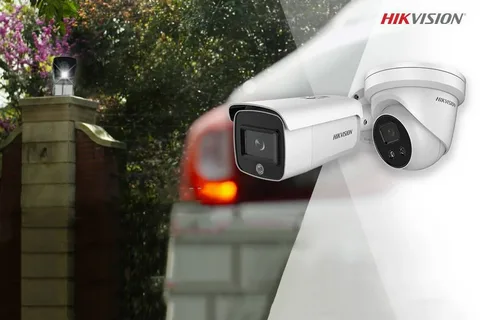
If you are using Hikvision cameras at your home, office, shop, or commercial building, your security system is only as safe as your network. Many people install advanced CCTV cameras and NVR systems but completely ignore router security. This mistake can expose your surveillance system to hackers, unauthorized access, data leaks, and cyber threats.
A secure router setup for Hikvision devices is one of the most important steps in protecting your CCTV network. Your router controls how your cameras connect to the internet, mobile apps, cloud services, and remote viewing systems. If the router is not configured properly, attackers can gain access to your surveillance feeds and even your entire network.
In this guide, you will learn how to improve network protection, secure your Hikvision devices, and create a safer CCTV system using smart router setup techniques.
Many users focus only on camera quality and storage capacity while ignoring network security. However, your router acts as the central gateway between your Hikvision surveillance system and the internet.
A weak router setup can lead to:
Unauthorized remote access
Hacked CCTV cameras
Data theft
Video feed interception
Network malware attacks
Slow camera performance
A secure router setup for Hikvision devices protects your surveillance data and improves system reliability.
Your Hikvision cameras and NVR communicate through your router to:
Stream live video
Store recordings
Send motion alerts
Connect to mobile apps
Enable remote monitoring
Because these devices remain connected to the internet 24/7, they can become targets for cybercriminals if not protected properly.
This is why proper Hikvision router configuration is essential for modern CCTV security.
One of the biggest security mistakes is keeping default usernames and passwords.
Hackers actively search for devices using factory login settings. If your router or Hikvision cameras still use default credentials, your system becomes extremely vulnerable.
To improve security:
Change the router admin username
Create a strong router password
Update Hikvision admin passwords
Avoid simple passwords like 123456 or admin
A strong password should include:
Uppercase letters
Lowercase letters
Numbers
Special characters
This simple step significantly improves network protection.
Outdated firmware is one of the most common reasons CCTV systems get hacked.
Manufacturers release updates to fix vulnerabilities and improve security. If you ignore firmware updates, attackers may exploit old security weaknesses.
You should regularly update:
Hikvision cameras
NVR firmware
Router firmware
Mobile surveillance apps
Keeping devices updated strengthens your secure CCTV network and reduces cybersecurity risks.
Many Hikvision users enable remote access features without understanding the risks.
Features like:
Port forwarding
UPnP
Open remote ports
can expose your CCTV system directly to the internet.
Instead:
Use Hik Connect secure cloud access
Disable unused ports
Turn off unnecessary remote management
Use VPN access for commercial systems
A secure remote access setup protects your surveillance network from external attacks.
One of the smartest ways to improve CCTV cybersecurity is separating your surveillance devices from your main internet network.
You can:
Create a guest network
Use VLAN configuration
Isolate Hikvision devices
This prevents infected devices like laptops or smartphones from affecting your CCTV system.
A dedicated surveillance network improves both performance and security.
Your router firewall acts as the first defense against hackers.
A properly configured firewall blocks suspicious traffic and protects Hikvision devices from unauthorized access.
For better security:
Enable router firewall protection
Activate SPI firewall
Block unknown incoming traffic
Disable unused services
Restrict unnecessary internet access
Strong firewall settings improve secure IP camera network protection.
Weak WiFi security can expose your entire CCTV system.
To secure your wireless network:
Use WPA3 encryption
Use WPA2 if WPA3 is unavailable
Disable WPS
Hide unnecessary SSIDs
Create strong Wi-Fi passwords
Avoid old encryption methods like WEP because they are easy to hack.
A secure WiFi connection keeps your Hikvision surveillance system protected.
Using static IP addresses for Hikvision cameras improves network stability and makes device management easier.
Benefits include:
Better device tracking
Faster troubleshooting
Stable remote access
Improved CCTV performance
This also prevents IP conflicts inside your surveillance network.
Even after setup, you should regularly monitor your CCTV network.
Check:
Unknown connected devices
High data usage
Suspicious login attempts
Unusual traffic activity
You can use:
Router logs
Hikvision SADP tool
Network monitoring apps
Early detection helps prevent major cybersecurity problems.
If you access your CCTV system remotely, using a VPN is highly recommended.
A VPN:
Encrypts network traffic
Hides your connection
Protects surveillance data
Prevents unauthorized access
VPN protection is especially important for:
Businesses
Warehouses
Offices
Multi-location surveillance systems
Not all routers are suitable for CCTV systems.
For reliable performance, choose routers with:
Gigabit LAN ports
Dual-band Wi-Fi
VPN support
Advanced firewall features
Stable firmware updates
Good router brands for Hikvision systems include:
TP-Link
MikroTik
Asus
Ubiquiti
A high quality router improves both security and video performance.
Many users unknowingly weaken their CCTV security.
Avoid these mistakes:
Keeping default passwords
Ignoring firmware updates
Using open ports unnecessarily
Sharing WiFi passwords publicly
Mixing CCTV with public networks
Disabling firewall protection
Avoiding these errors makes your Hikvision network more secure and reliable.
A properly configured router setup provides:
Better cybersecurity
Safer remote access
Stable video streaming
Reduced hacking risks
Improved network speed
Stronger surveillance reliability
Most importantly, it protects your privacy and security footage.
Your Hikvision cameras are only as secure as the network they operate on. A weak router setup can expose your surveillance system to serious cyber threats, unauthorized access, and data breaches.
By improving your router setup for Hikvision devices, updating firmware, using strong passwords, enabling firewall protection, and securing remote access, you can build a powerful and protected CCTV network.
Modern surveillance is no longer just about camerasĀ it is also about cybersecurity, network protection, and secure connectivity.
When your network is secure, your entire surveillance system becomes stronger, smarter, and more reliable.
No products in the cart.